
Maximize Your Speed and Performance

影片載入中...

Print Big, Faster

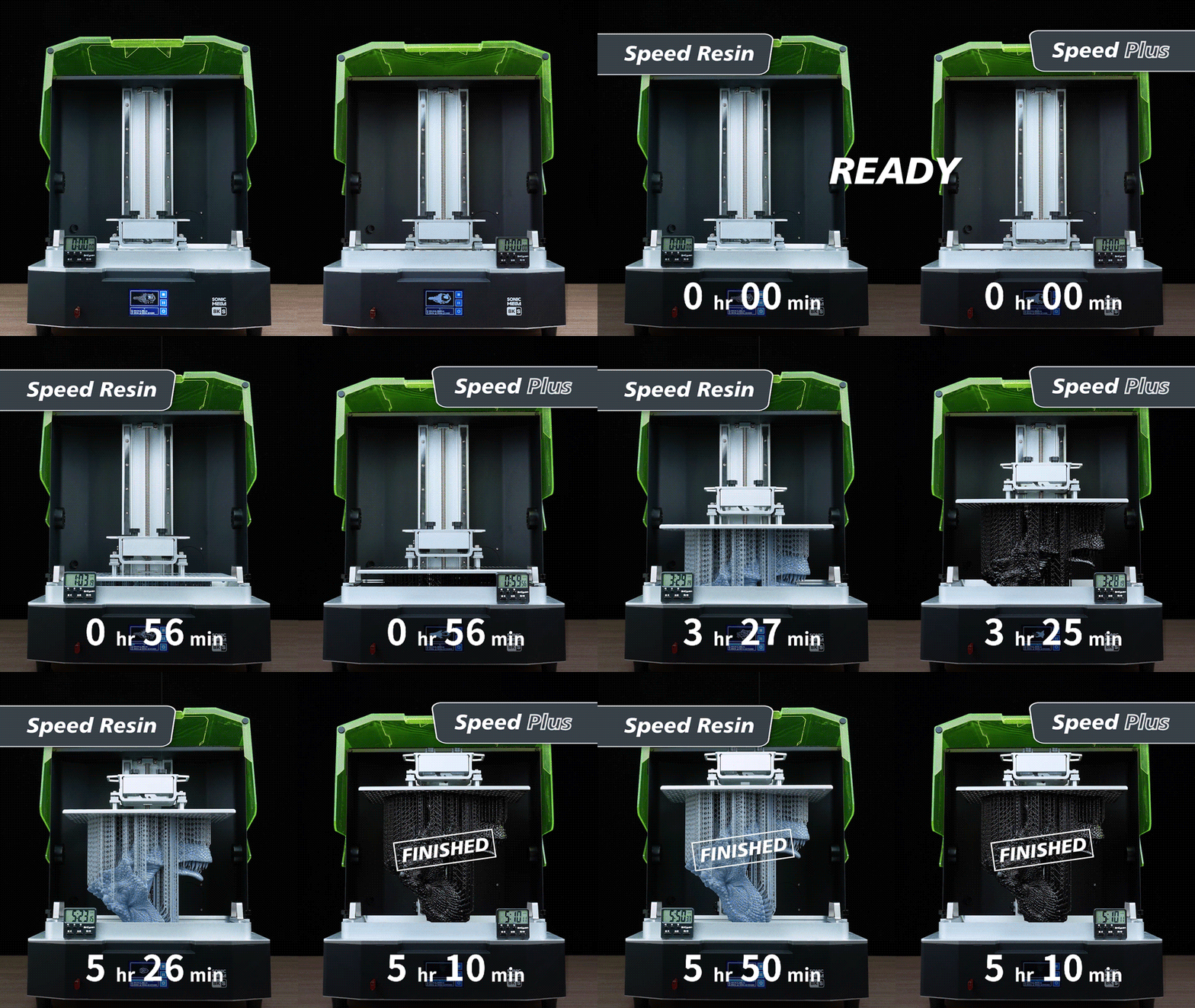
Formulated for large prints, Speed Plus resin pairs the Sonic Mega 8K S’s fast printing with an ACF film to complete a 25 cm-tall model in just over 5 hours, thanks to a super-fast 1.5 s exposure time at 0.1 mm layer height.

GIF comparing Speed Resin and Speed Plus print times, showing Speed Plus finishes a 25 cm model faster in about 5 hours.

Made for Details, Made for Speed

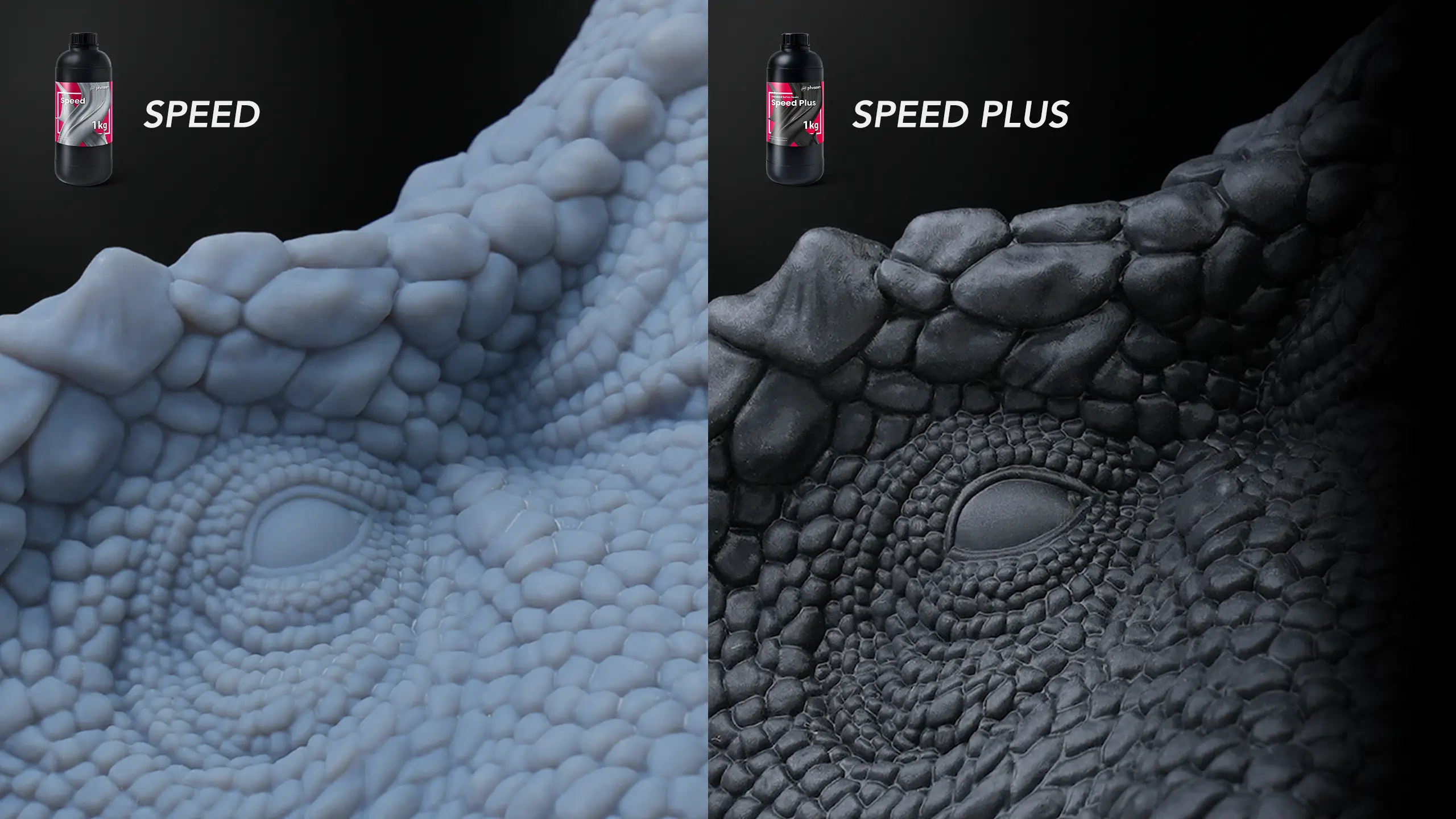
Compared to Speed resin, Speed Plus maintains superior print quality even at high speeds, so you can print faster while still bringing out crisp model details.

Close-up comparison of model details printed with Speed Resin and Speed Plus, highlighting sharper detail at higher speed.

Smooth, Stable, and Swift

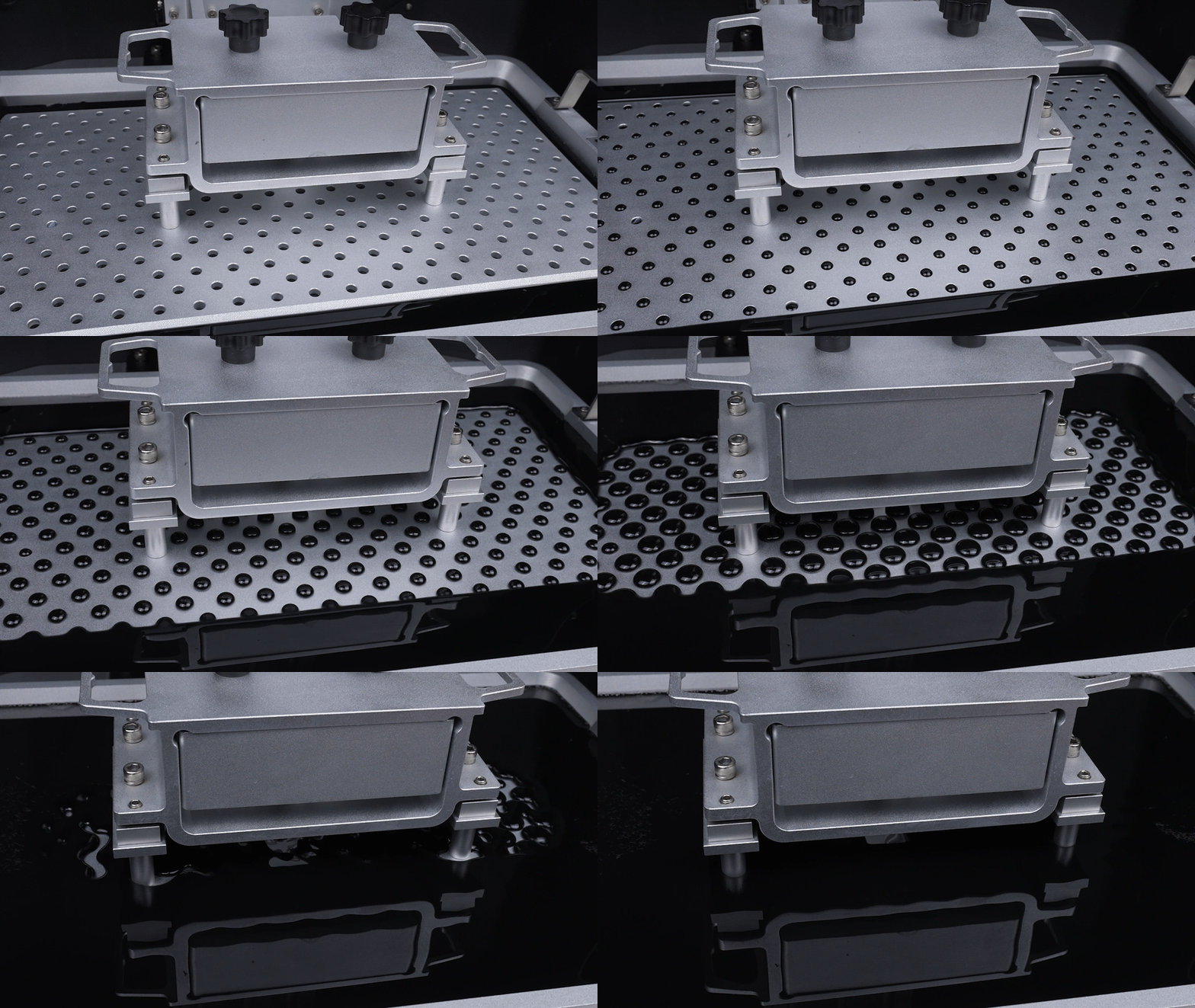
With a super low viscosity of only 150 cP, printing large models is smoother, more stable, and faster for a reliable printing performance.

GIF of a 3D printer printing with Phrozen Speed Plus Resin, highlighting smooth, stable, and fast performance.

Applications

Suitable for rapid production of cosplay props, terrains, large scale models, and anything big!

Person holding large dinosaur prop models printed with Phrozen Speed Plus Resin for cosplay props and large-scale models.
Vampire Castle model by MiniWorld3D printed with Phrozen Speed Plus Resin, showing large-scale detail.

Speed Plus vs. Speed

Clear All

How to Print With Speed Plus

When printing with Phrozen Speed Plus, follow the steps below for a successful print.

1. Choose Your Parameters

Use these parameter settings when printing on Sonic Mega 8K S with ACF film, and feel free to choose whether to print on 0.05 or 0.1 mm layer height based on your needs.

Speed Plus printing parameters chart for 0.05 mm and 0.1 mm layer heights on Sonic Mega 8K S with ACF film.
Icon of a 3D model in slicing software, representing support adjustment for stable printing.

2. Adjust Support

Strengthen your support settings and adjust the model’s angle to reduce the cross-sectional area to ensure printing stability.

Icon showing a printer lid being lowered to prevent resin splashes during printing.

3. Cover the Lid

Always put down the UV light cover when printing to avoid resin splashes from rapid build plate movement.

Icon of a resin vat, representing checking and cleaning the release film after each print.

4. Check Release Film

Always clean the entire resin vat after each print to ensure there are no holes or tears in the release film.

Note

*Fast printing results in higher pulling forces, which may shorten the lifespan of your release film. Read more about when to replace the release film.​
*Rapid lift and retract speeds increase the risk of layer lines from shaking and print failures. In general, models with a smaller cross-sectional area have a higher success rate. Please review your model preparation and parameter settings, and adjust as needed to ensure successful prints.​
*The parameter settings above are for the Sonic Mega 8K S with ACF release film, under an ambient temperature of 25 ± 2°C and humidity of 50 ± 10%.​
*For more information, please refer to our user guide.